What is ChronoScope?
In the world of film scoring, synchronization is everything. ChronoScope was born from the need for a visual conductor that not only follows the video but adapts to the musical structure of your cues. Powered by a high-precision master clock, it provides a real-time playback environment with streamers, punches, and counters. Forget rigid systems; with ChronoScope, you have total control over every visual event, directly from your MIDI sequence.
Core Features
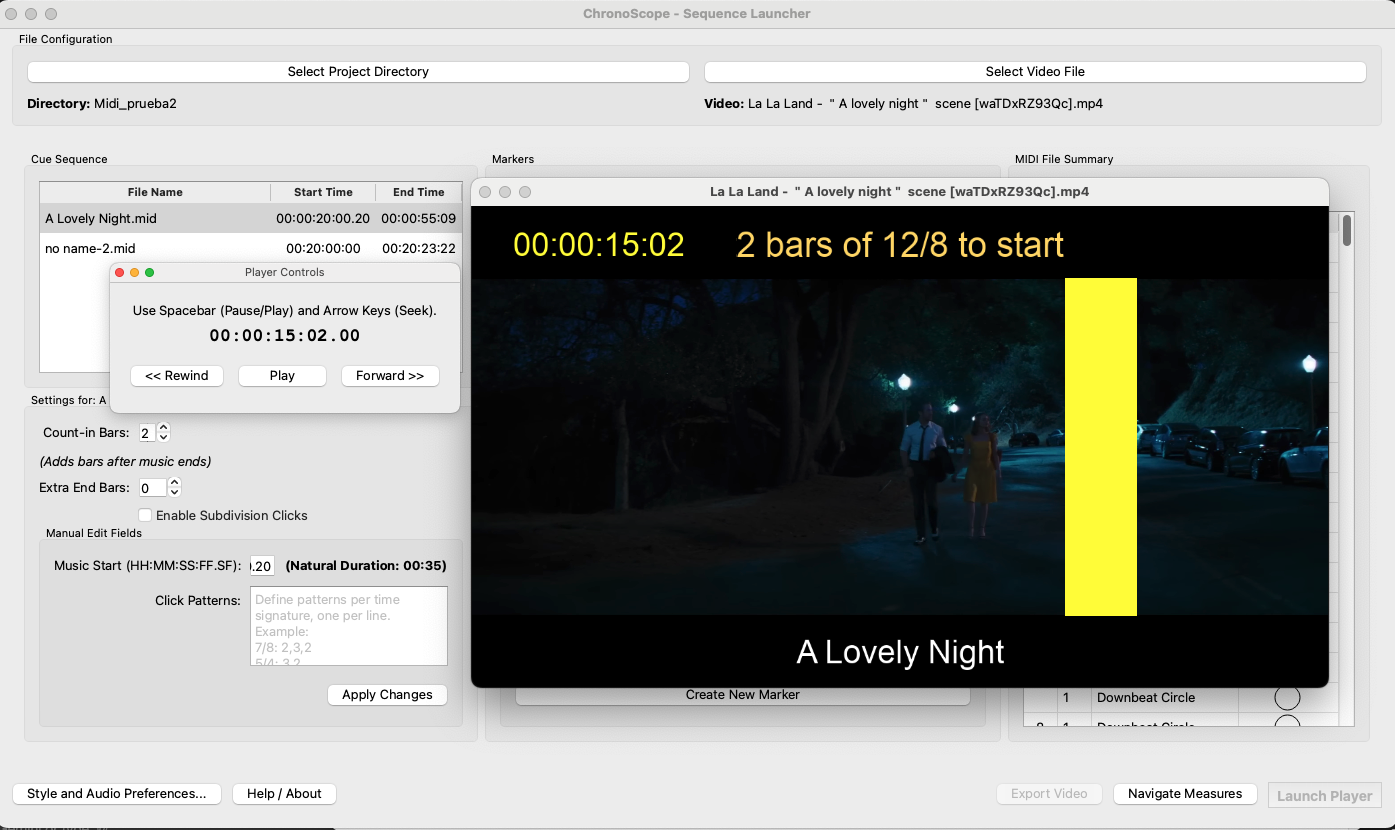
Advanced Marker Editor: Streamers and Punches
This is the star feature. Embed custom streamers (visual wipes) and punches (circular flashes) directly into your MIDI files. Define the exact measure, beat, and event type. Create standard streamers, punches, or even events with custom colors to signal key moments, hits, and musical cues with absolute precision.
Complete Customization
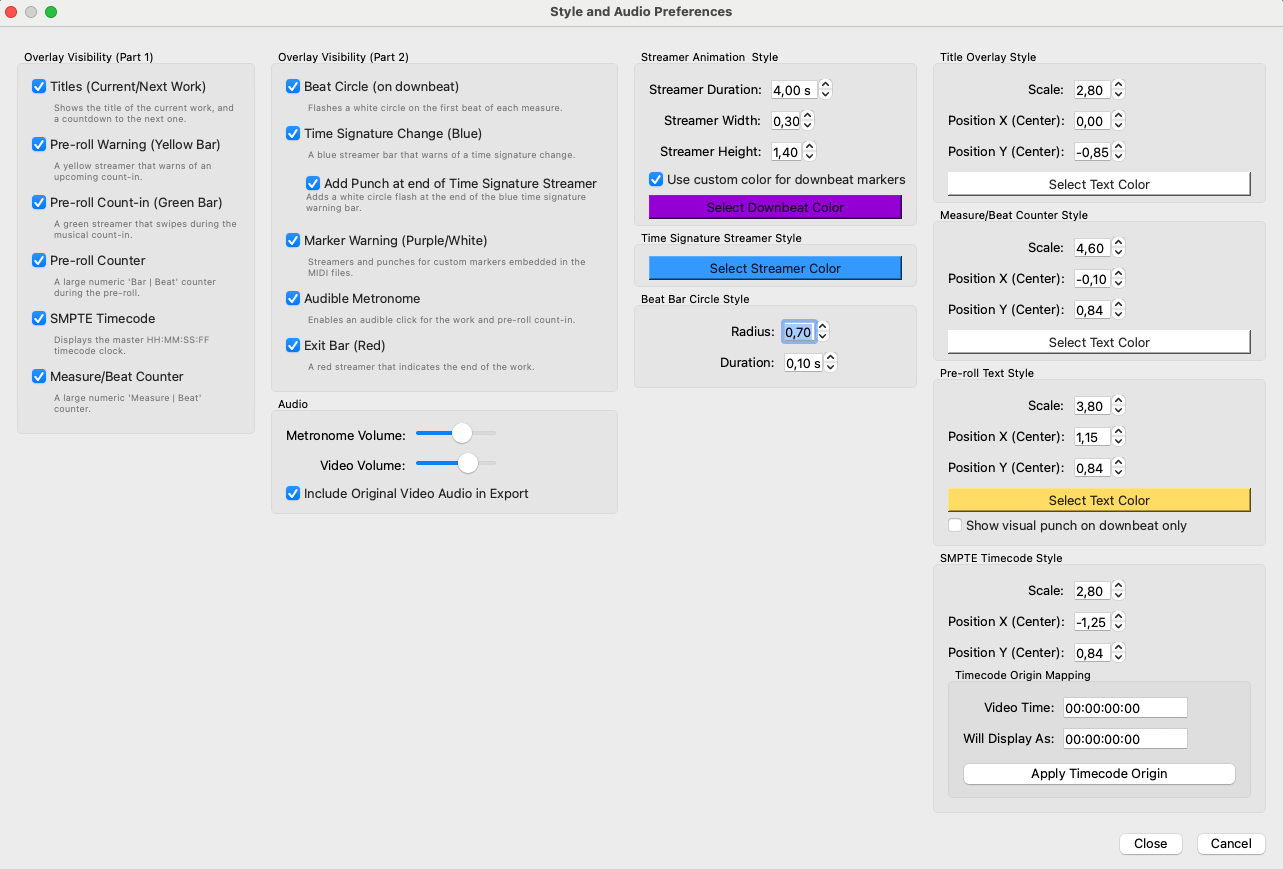
Make ChronoScope truly yours. The preferences window gives you granular control over every visual and audio element. Toggle overlays, adjust the size and position of counters, change the color of titles and streamers, and fine-tune animation parameters like streamer duration and thickness. You can also manage audio levels for the video and the metronome, creating the perfect work environment for your needs.
Simple Project Management
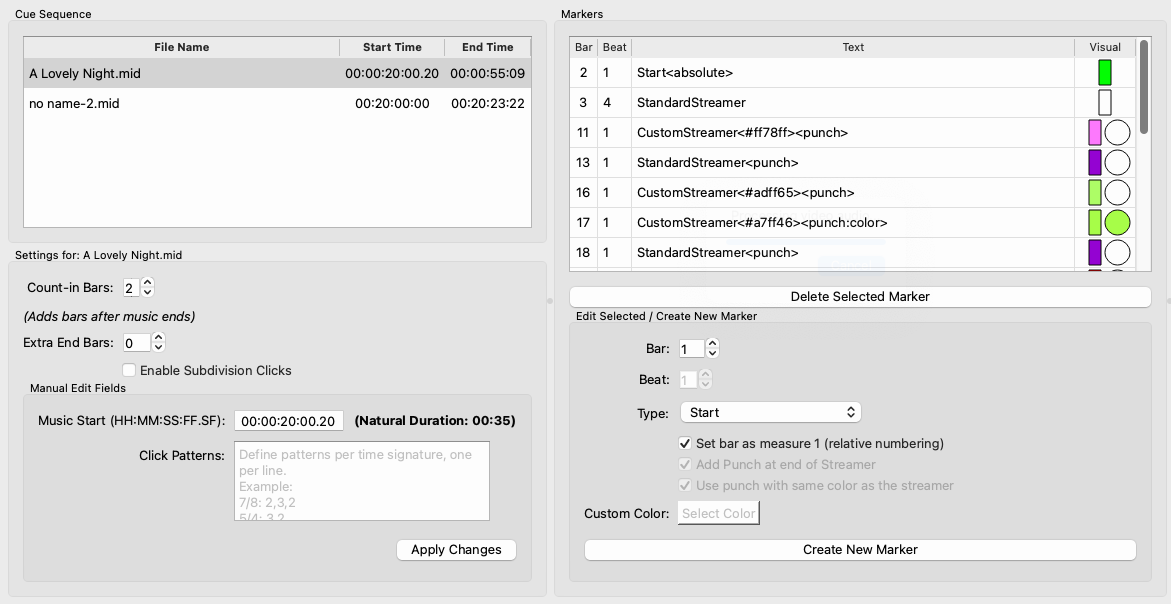
Set up your project in seconds. Just select your video file and the directory containing all your cues in MIDI format. ChronoScope automatically analyzes the musical structure of each cue, preparing them for the sequence.
Integrated Sequence Editor
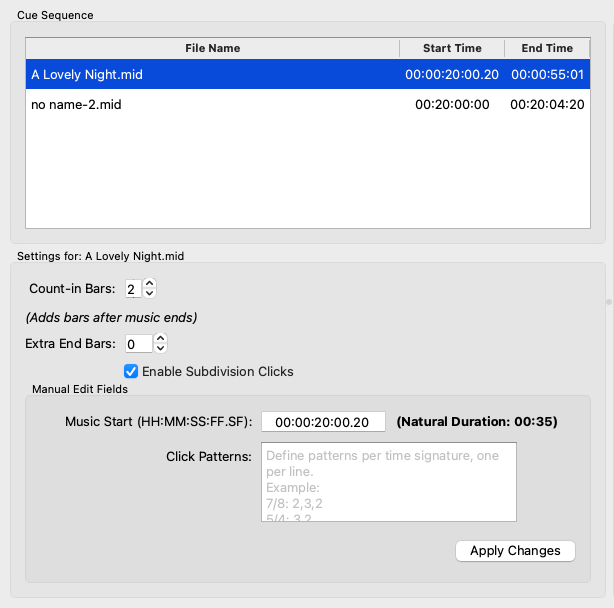
Drag, reorder, and define the exact start point for each cue using SMPTE timecode. Adjust count-in bars, add silent bars at the end, and enable subdivision clicks, all from a unified interface that saves your changes instantly.
Powerful Visual Overlays
Measure & Beat Counter
A large, clear "Measure | Beat" counter that follows your music's meter. Fully customizable in size, position, and color for perfect readability.
Master SMPTE Timecode
Maintain an absolute reference with a timecode overlay that supports subframes (HH:MM:SS:FF.sf). Define an offset to map any video time to a different display time, like 01:00:00:00.
Dynamic Cue Titles
Never lose context. ChronoScope displays the title of the current cue and shows a countdown to the next one, ensuring smooth, surprise-free transitions.
Intelligent Pre-roll System
Prepare every entry with precision. Generates a yellow warning bar followed by a green count-in bar, synchronized with the pre-roll bars you define for each cue.
Time Signature & Marker Warnings
Anticipate meter changes with a customizable blue bar. Custom markers embedded in your MIDI also trigger visual streamers and punches.
Total Customization
Your workspace, your rules. Enable/disable overlays, adjust streamer thickness, change text colors, and control metronome and video audio volumes.
Complex Meter Patterns
Tackle complex and asymmetric meters with ease. Define custom rhythmic "Click Patterns" (e.g., 7/8 as 2,3,2) to ensure the audible metronome and visual counters perfectly match your musical intent.
Real-time Playback
What you see is what you get. The player offers a live preview with all visual overlays and a precise, low-latency audible metronome, ensuring perfect sync during composition.
Export & Deliver
When you're ready, export the final video with all visual overlays and audio (original, metronome, or both) burned in, creating a perfect reference for conductors and musicians.
Get ChronoScope
ChronoScope is available for macOS.
*You are downloading the BETA version. It may contain bugs or instability. We appreciate your help by reporting issues to: daniesmor@gsyc.urjc.es
Download Latest Version